HoloStorageAccessor 
The HoloStorage is a cloud-based storage for medical 3D models and associated metadata. Entirely hosted on Microsoft Azure, a FHIR server stores the structured medical data and a Blob Storage server provides for the binary holographic data. With the HoloStorageAccessor, we provide an enhanced facade, offering a consistent interface to the HoloStorage and translating the public REST API to internal FHIR queries. To facilitate development of 3rd party components, the interface comes with an interactive OpenAPI documentation.
Description
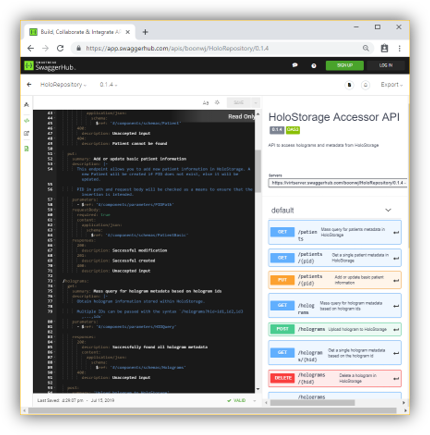 To protect the HoloStorage and hide concrete implementation details, such as which FHIR resources are used to store data internally, the HoloStorage-Accessor provides a consistent and unified interface to the data, and the single entry-point for 3rd party systems. As such, it acts as a façade. However, it also performs some more complex business logic, like translating calls to a minimalistic interface to FHIR queries and building complex queries, potentially filtering and aggregating results.
The REST API is being carefully designed, so that it not only satisfies the requirements of the HoloPipelines’ artefacts, but also supports adjacent projects (DepthVisor, Annotator) and any future projects in this context. We strive to find a balance between an open, generic interface and enforcing enough relevant data to effectively query and utilise the data.
Technologies
The following technologies are used in this component:
- Go 1.12.7
- API specification using OpenAPI v3.0.2
- Backend implementation using Go Gin framework
- Server stub generated from OpenAPI specifications using OpenAPI Generator
API specification
The API specification can be found in the api/ directory. A deployed version of the interactive documentation is available here.
When the application is deployed, the documentation can also be viewed at the /api/v1/ui endpoint.
Requirements
- Go 1.12.7
Development
Installation
To install program dependencies
go get -d -v ./...
Run
To run the server, first configure the necessary configurations then run the following
go run cmd/holo-storage-accessor/main.go
Verify the accessor by visiting localhost:3200/api/v1 or localhost:3200/api/v1/ui
Testing
To run the tests
go test ./...
To test the different API endpoints, there is a postman collection in the test folder.
Import them into postman and run through them.
Build and deployment
To run the server in a docker container
docker build -t holo-storage-accessor .
Once the image is built load the configuration, just run
docker run -it --rm --env-file config.env -p 3200:3200 holo-storage-accessor
You can then access the container via localhost:3200
Configuration
Accessor application uses the following environmental variables as configuration.
If using docker, the environment configuration fields can be set via config.env.
If not, export the variables before running the program.
| Field | Description |
|---|---|
| ACCESSOR_FHIR_URL | URL to the FHIR server that accessor connects to |
| AZURE_STORAGE_ACCOUNT | Name of blob store for holograms |
| AZURE_STORAGE_ACCESS_KEY | Access key to the blob store |
| ENABLE_CORS | Enable CORS support for accessor |
Contact and support
This component is owned by Wenjie. Please get in touch if you have any questions. For change requests and bug reports, please open a new issue.